A Developer's Notepad for Windows
Syntax highlighting, live Markdown preview with math rendering, encrypted auto-save, and native dark mode - all in a lightweight .NET text editor.
What is Notepad#?
Notepad# (NotepadSharp) is a text editor for people who open a text editor constantly: to jot something down, to read a README, to fix a config file, to paste something out of a terminal before it scrolls away. It starts fast, stays out of the way, and keeps what you type safe without being asked twice. It is also a Markdown reader and a competent code editor, so the note you scribbled and the file you are debugging live in the same window.
Under the hood it runs the Scintilla editing engine - the same core behind Notepad++ - on .NET 10, with syntax highlighting for 12 languages, a live Markdown preview that typesets mathematics and refreshes itself on disk changes, encrypted auto-save with crash recovery, and native dark mode. Everything happens on your own machine: no account, no cloud, no telemetry, no ads.
Features
Advanced Code Editing
Powerful Editing Engine
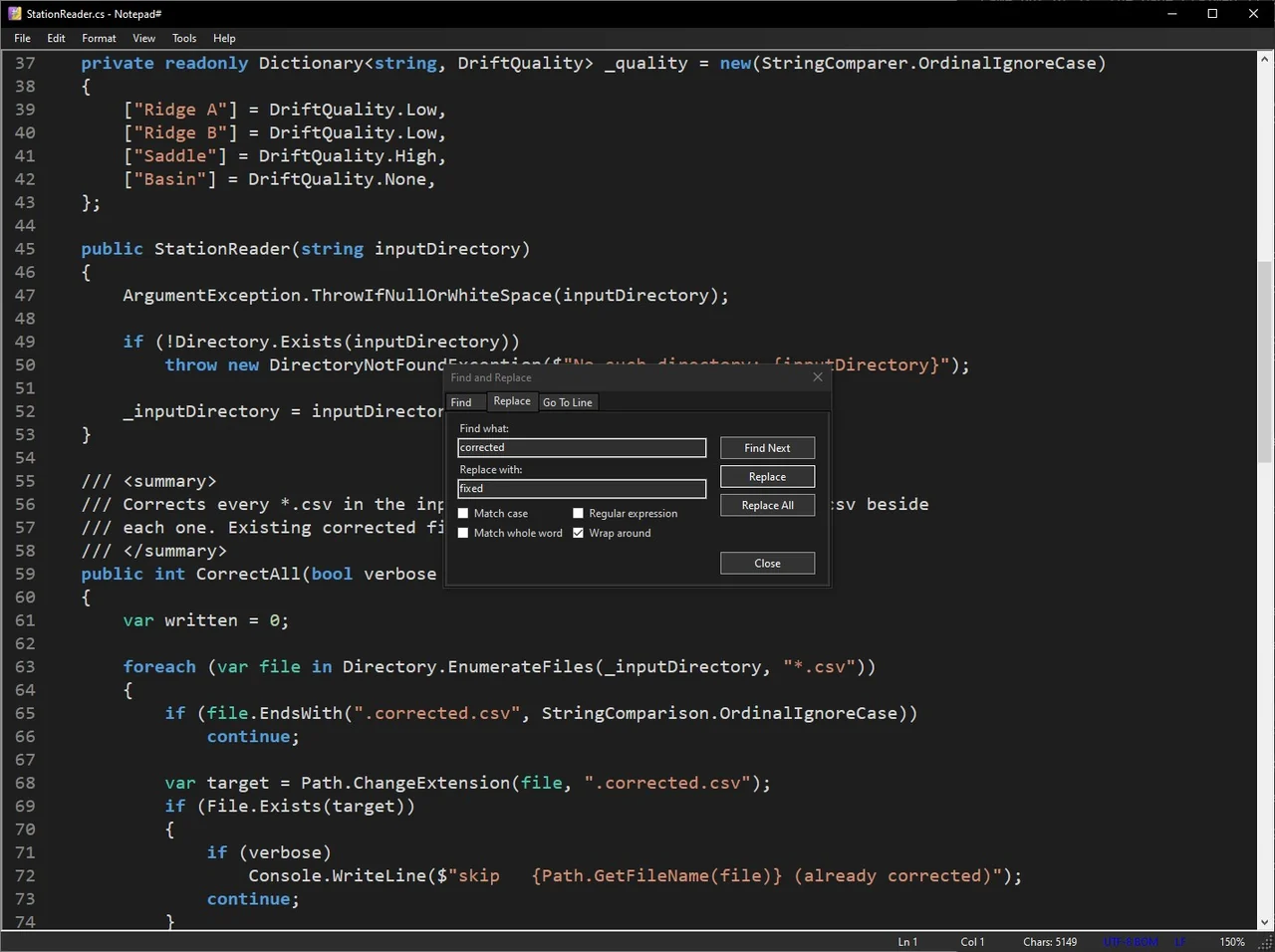
Built on the same Scintilla editing component used by Notepad++ and other professional editors. Unlimited undo/redo, automatic bracket matching, code folding, and a full-featured Find & Replace dialog with regex support, case sensitivity, and whole word matching.
- Unlimited undo/redo
- Bracket matching and automatic code folding
- Regex-powered Find & Replace with Go To Line
- Zoom in/out with Ctrl+Mouse Wheel or keyboard shortcuts
- Case conversion and date/time insertion
Syntax Highlighting
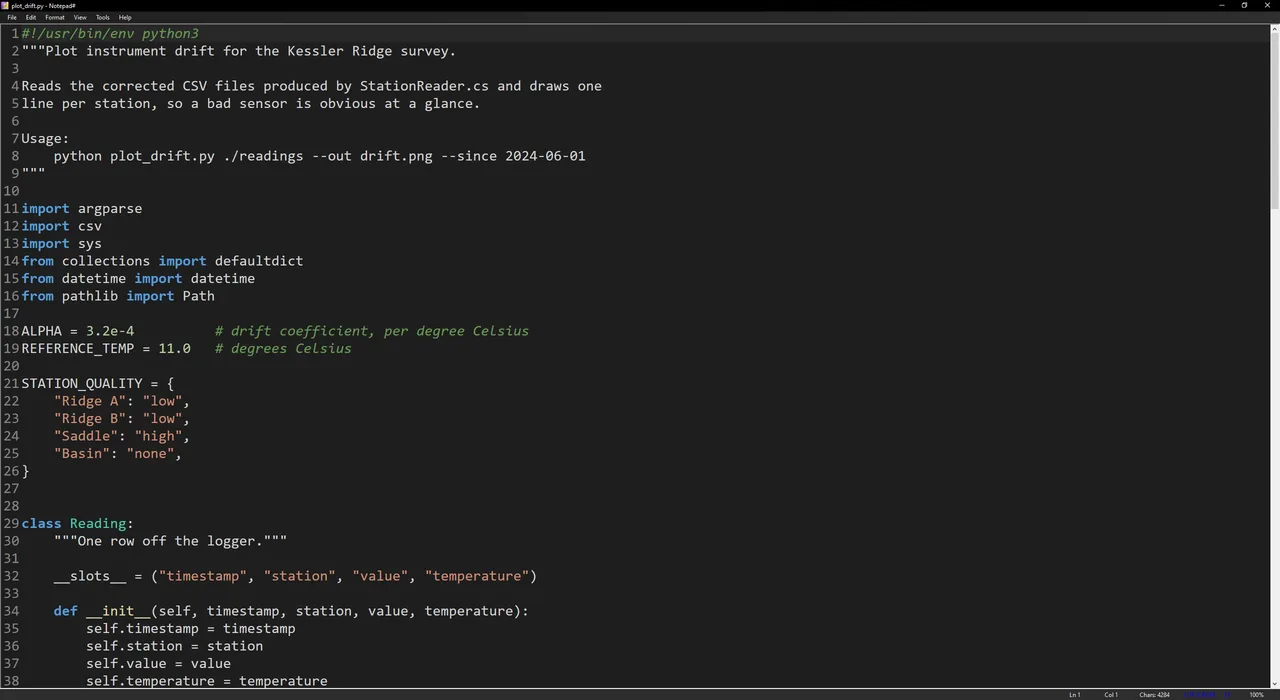
Syntax Highlighting for 12 Languages
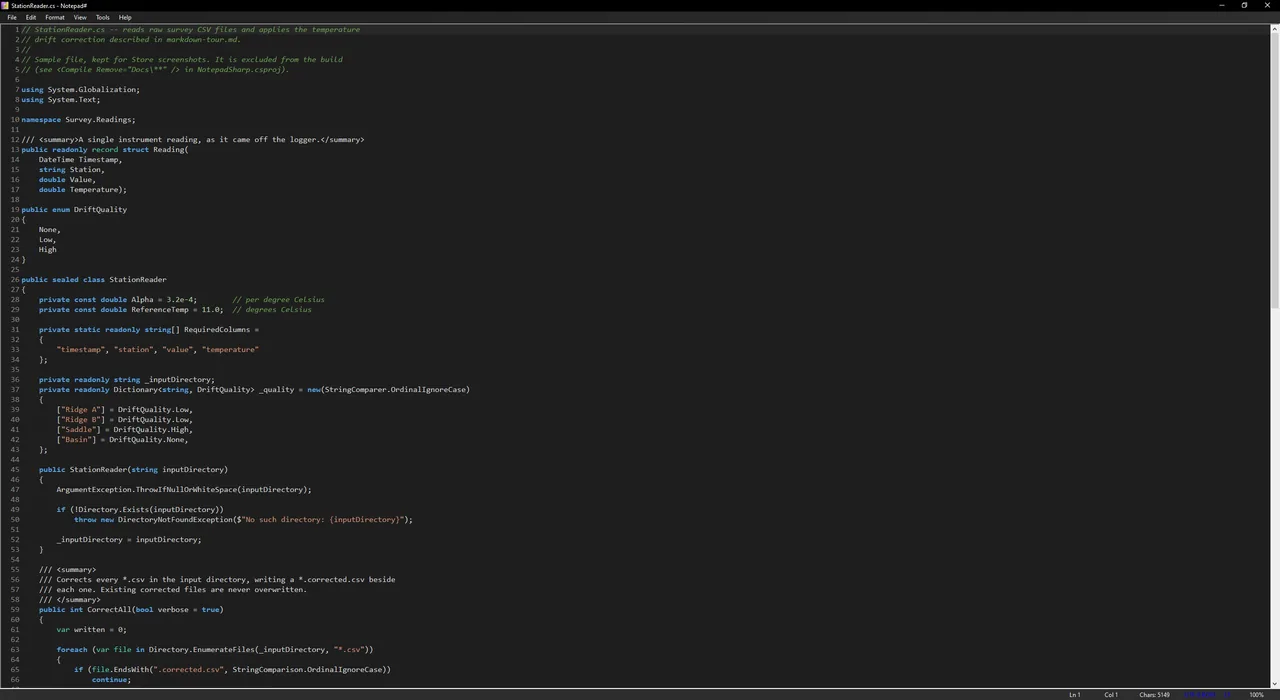
Out-of-the-box highlighting for C#, C/C++, Python, JavaScript, TypeScript, JSON, XML, SQL, PowerShell, Batch, Markdown, and HTML - the HTML definition also covers Svelte, Vue, PHP and ASP markup. The right one is picked from the file extension, or you can choose it yourself from the View menu. Each language has separate color schemes for light and dark themes, and adding a new one is as simple as dropping a JSON definition file into the SyntaxDefs folder.
- 12 built-in languages with separate light and dark color schemes
- HTML highlighting extends to Svelte, Vue, PHP and ASP markup
- Auto-detection by file extension with manual override
- Reformat unreadable JSON and XML into indented shape with one command
- Extensible via JSON syntax definition files
Markdown Preview
Live Markdown Preview with Math Support
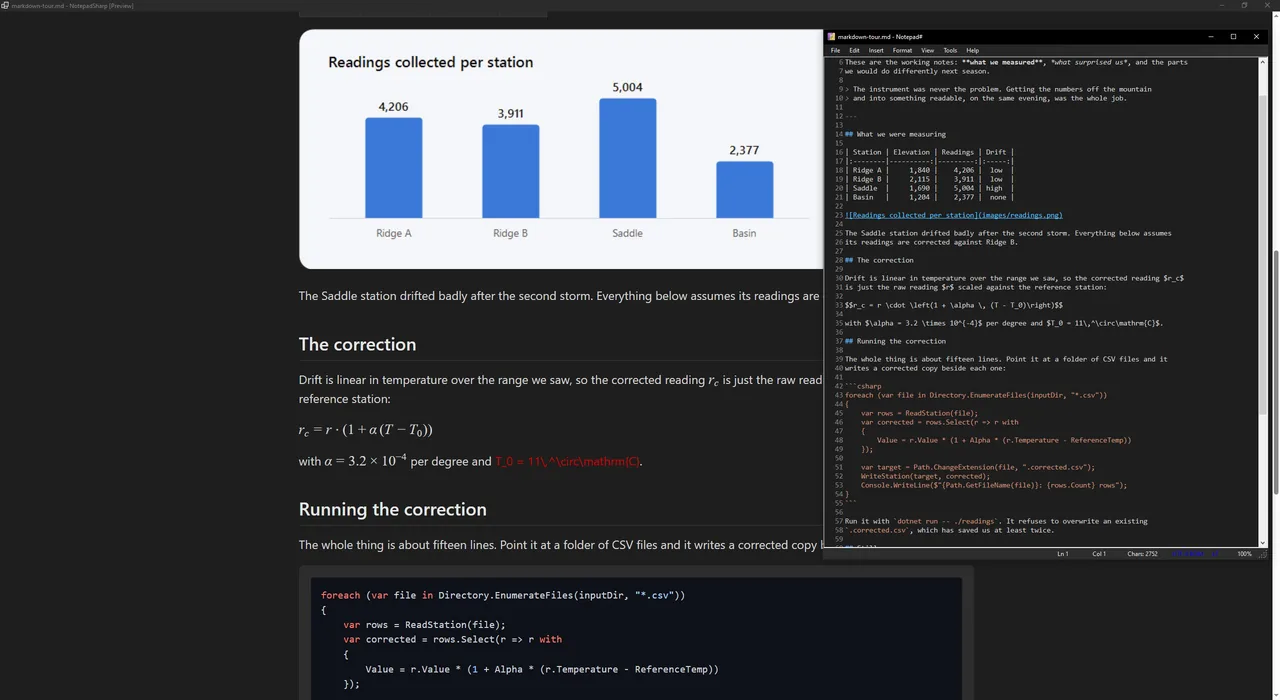
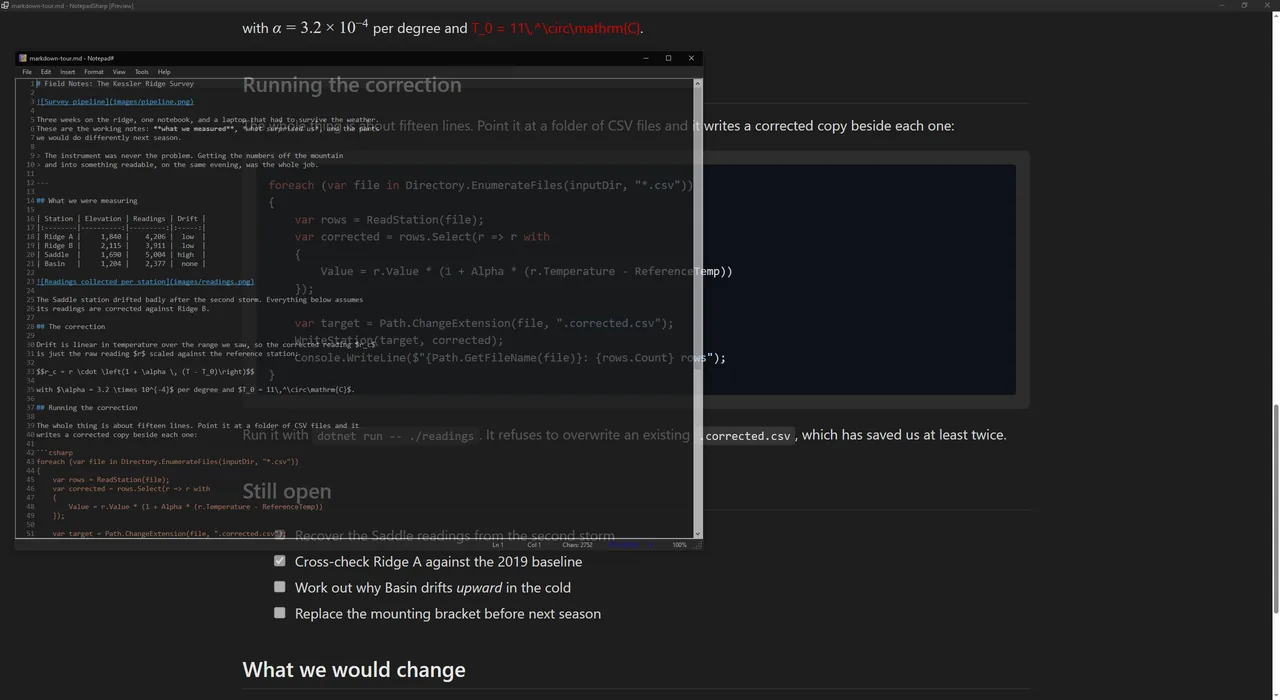
Open a .md file and Notepad# shows it the way it is meant to be read: headings, tables, lists, quotes and links, properly laid out. Code blocks are highlighted by language, mathematical notation is typeset, and images appear inline whether they sit next to the file, live on the web, or are embedded in the document itself. One click switches to the editor and back, and the reading view refreshes itself the moment the file changes on disk, so you can keep it open beside whatever is writing to it.
- Live preview rendered with WebView2 and Markdig
- Syntax-highlighted code blocks via highlight.js
- KaTeX math rendering - inline ($...$) and display ($$...$$)
- Auto-refresh on file changes with scroll position preservation
- Insert images from a file, a web address, or embedded in the document
- Export to HTML with images copied alongside or embedded, or print directly
Security & Privacy
Encrypted Auto-Save and Secure Deletion
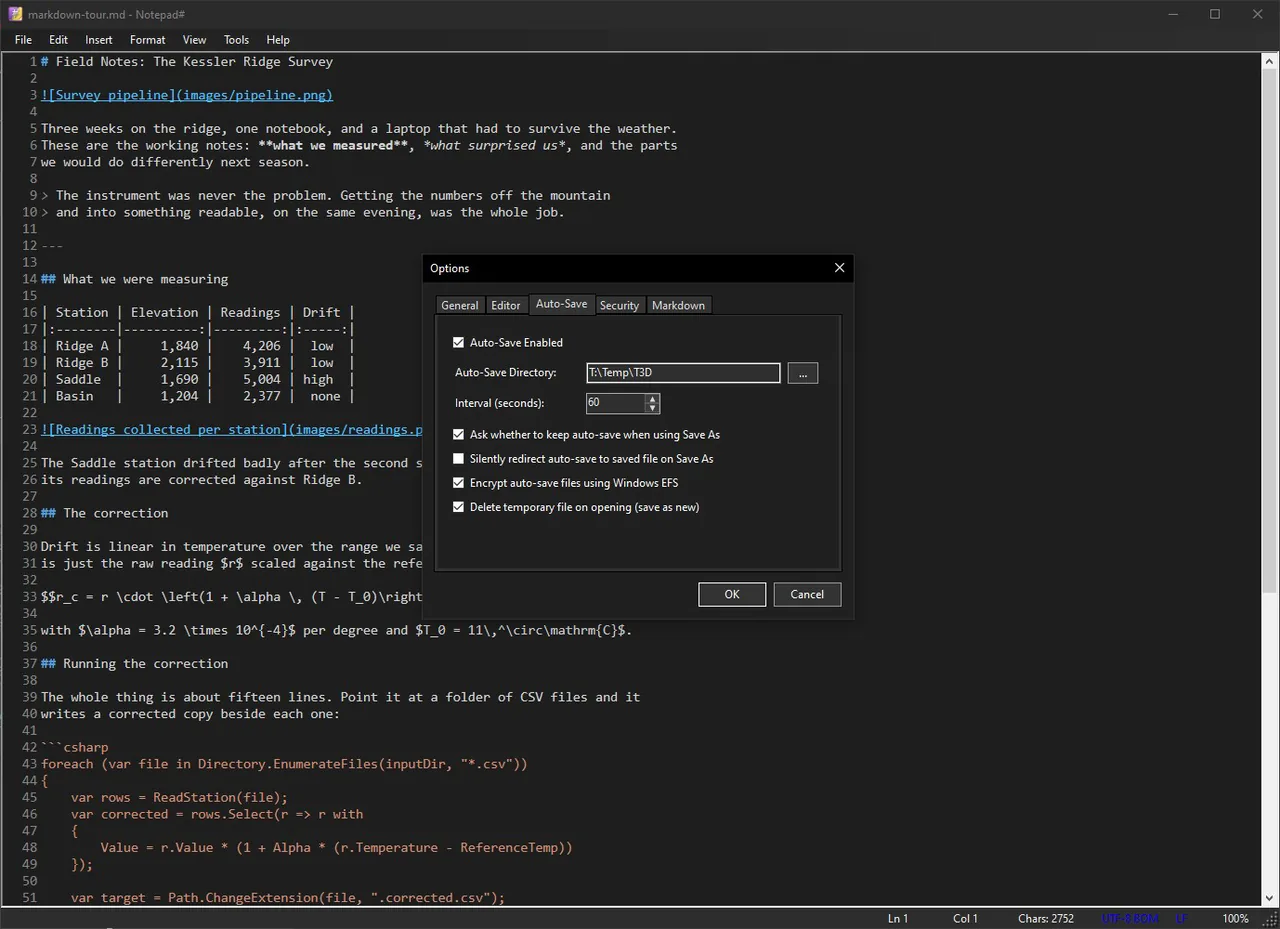
Type into an empty window and Notepad# is already protecting it. Auto-save runs on an interval you set, into a directory you choose, and survives a crash, a power cut, or a window closed by mistake. Those auto-saved files can be encrypted with Windows EFS, so they are readable by your account and nobody else. The window can be excluded from screenshots and screen recordings, and "Destroy" deletes the document and its auto-save copy together for the note that was never meant to outlive the conversation.
- Timer-based auto-save with configurable interval and directory
- NTFS EFS encryption of auto-save files
- Crash recovery via Tools > Auto-Save > Load Last
- Secure file deletion (Destroy Document)
- Optional screen capture protection
Smart File Handling
Encoding Detection and Large File Safeguards
Encoding and line endings are detected when a file opens, shown in the status bar, and changed when you need them changed: UTF-8, UTF-16, ANSI, Windows or Unix. Files arriving from a terminal, a colleague or a decade-old codebase open as what they actually are rather than as mojibake. Large files are handled with care - Notepad# warns before opening very big ones and steps highlighting aside so the editor stays responsive.
- Auto-detection of UTF-8, UTF-16 LE/BE, and ANSI encodings
- Click-to-change encoding and line ending conversion
- Warning at 50 MB and a hard limit at 200 MB to protect stability
- Highlighting steps aside above 10 MB to keep editing responsive
- Drag-and-drop file opening and recent files list
Windows That Behave
Windows That Stay Where You Put Them
Keep a window always on top while you copy from another one. Make it semi-transparent to read through it. Give a window your own title so a row of notes on the taskbar tells you which is which - and it will remember that title next time you open the file. Open as many windows as you like; they are independent. Light and dark themes follow Windows, or pin whichever one you prefer.
- Always-on-top mode for copying between windows
- Adjustable semi-transparency from 20% to 100%
- Custom per-file window titles, remembered between sessions
- As many independent windows as you want to open
- Light, Dark and System themes with theme-aware editor colors
And More
Native Dark Mode
Light, Dark, and System themes. Theme-aware editor colors and markdown CSS adapt automatically.
Printing Support
Page setup with configurable margins, orientation, and paper size. Headers show the filename, footers show page numbers.
Nothing Phones Home
No account, no cloud sync, no analytics, no advertising. The only outbound request Notepad# ever makes is the one you start yourself when inserting an image from a web address.
Command-Line Interface
Open files with --line to jump to a specific line, --encoding to force encoding, --readonly for read-only mode, or --edit to open .md files in the text editor.
.NET 10 Native
Built with the latest .NET 10 for a fast, lightweight, fully native Windows experience with no Electron overhead. Runs natively on both Intel and ARM PCs.
Frequently Asked Questions
Get Notepad# Today
A fast, focused text editor for developers. Free, lightweight, and built for modern Windows.
Download for Windows
Get it from Microsoft Storev1.7.2 9.3 MB Windows 10, Windows 11
Direct installer (.msi)
Registers file associations, so Notepad# opens the file types you assign to it on double-click. Portable mode is available if you would rather it left no trace on the machine. It does not update itself: there is no bundled updater, no background service, and nothing that contacts a server to check for versions - that is a whole class of attack surface Notepad# simply does not have, and it means you decide when a new build lands. Requires the .NET 10 Desktop Runtime.
Microsoft Store
Installs and updates automatically, dependencies included, with nothing to configure. File associations work differently there by design: a Store app is not permitted to claim file extensions itself, so if you want Notepad# to own your .md or .json files you assign them once in Settings > Default apps. Everything else is the same application.